
Options
- Mark as New
- Bookmark
- Subscribe
- Mute
- Subscribe to RSS Feed
- Permalink
- Report Inappropriate Content
01-20-2026
10:55 AM
- last edited on
01-20-2026
11:48 AM
by
VirginPlusAnton
Problem as above. Wasn't necessarily a huge problem until my old smartphone stopped holding a charge at all.
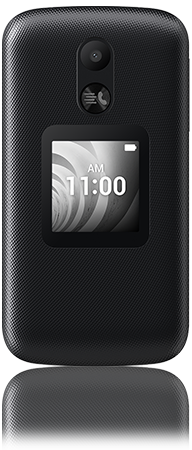
I switched to a TCL Flip because I wanted to "simplify" my life a little and not have to constantly walk around with a surveillance/brainrot device on me at all times. Of course I've come to discover the bitter irony in that it has complicated absolutely everything else, and I can still just rot my brain from every other digital device in my life. And it's probably still spying on me anyway.
All the while, my old smartphone, despite having no active SIM in it, receives RCS messages for my number as they're not supported on the Flip -- or if they are it never switched. Now that it barely holds a charge and I have to do some complicated ritual to ever get it to charge it's starting to become a problem.
My question is -- are RCS messages attached to my Google account? If I were to buy a used smartphone and login to my Google account from there, would they start coming through there? If not is there a way to prevent people being able to RCS message me, so they all funnel to my dumbphone?
I have surrendered to the fact I'll probably have to get a smartphone at some point again anyway because this stupid thing does actually even limit my job opportunities. I would like to run my contract out first though, if possible, as I've only had this a year and I'm not really in the financial position for the cancellation fees, etc. etc. etc. plus the more expensive plans that generally tend to come with smartphones. That was another crux of the downgrade.
But at this point I'm willing to try anything, and will begrudgingly accept defeat and run back into the arms of my adult pacifier if necessary.
Hope someone can help because the support bots literally don't even know what I'm saying or just leave me sitting on dead air for minutes at a time.
1 ACCEPTED SOLUTION
Accepted Solutions

Options
- Mark as New
- Bookmark
- Subscribe
- Mute
- Subscribe to RSS Feed
- Permalink
- Report Inappropriate Content
01-22-2026 11:14 AM - edited 01-22-2026 11:27 AM
Hey there @MyDigitalNightmare ,
Welcome to the community and thanks for your post.
No, RCS messages aren't directly attached to your Google Account; they're linked to your phone number and device via the Google Messages app, so yes, your old phone can keep getting them over Wi-Fi if you don't disable chat features, especially if you didn't turn them off before switching or deregistering. To fix this, you need to either disable RCS in the Google Messages app on the old phone (if accessible) or use the official Google RCS deregistration page to unlink your number from chat services.
How to stop RCS on your old phone:
If you have the old phone:
- Connect the old phone to Wi-Fi.
- Open Google Messages app.
- Tap your profile picture > Settings > RCS chats (or "Chat features").
- Toggle "Chat features" or "RCS chats" OFF.
- You might need to do this on both phones or use the web tool.
If you don't have the old phone (Use the Web Tool):
- Go to https://messages.google.com/disable-chat.
- Enter your phone number.
- Verify with the code sent via SMS to your current phone.
- This remotely deregisters your number from Google's chat servers.
After deregistering:
- You can also clear the cache/data for the Google Messages app and Carrier Services on the old phone or uninstall/reinstall Google Messages.
Let the community know if you have more questions.
1 REPLY 1
Options
- Mark as New
- Bookmark
- Subscribe
- Mute
- Subscribe to RSS Feed
- Permalink
- Report Inappropriate Content
01-22-2026 11:14 AM - edited 01-22-2026 11:27 AM
Hey there @MyDigitalNightmare ,
Welcome to the community and thanks for your post.
No, RCS messages aren't directly attached to your Google Account; they're linked to your phone number and device via the Google Messages app, so yes, your old phone can keep getting them over Wi-Fi if you don't disable chat features, especially if you didn't turn them off before switching or deregistering. To fix this, you need to either disable RCS in the Google Messages app on the old phone (if accessible) or use the official Google RCS deregistration page to unlink your number from chat services.
How to stop RCS on your old phone:
If you have the old phone:
- Connect the old phone to Wi-Fi.
- Open Google Messages app.
- Tap your profile picture > Settings > RCS chats (or "Chat features").
- Toggle "Chat features" or "RCS chats" OFF.
- You might need to do this on both phones or use the web tool.
If you don't have the old phone (Use the Web Tool):
- Go to https://messages.google.com/disable-chat.
- Enter your phone number.
- Verify with the code sent via SMS to your current phone.
- This remotely deregisters your number from Google's chat servers.
After deregistering:
- You can also clear the cache/data for the Google Messages app and Carrier Services on the old phone or uninstall/reinstall Google Messages.
Let the community know if you have more questions.


